AI Wedding Photo Generator
Upload a photo to apply this effect while keeping the subject recognizable for a natural, polished result.
01Upload your photo
02Prompt
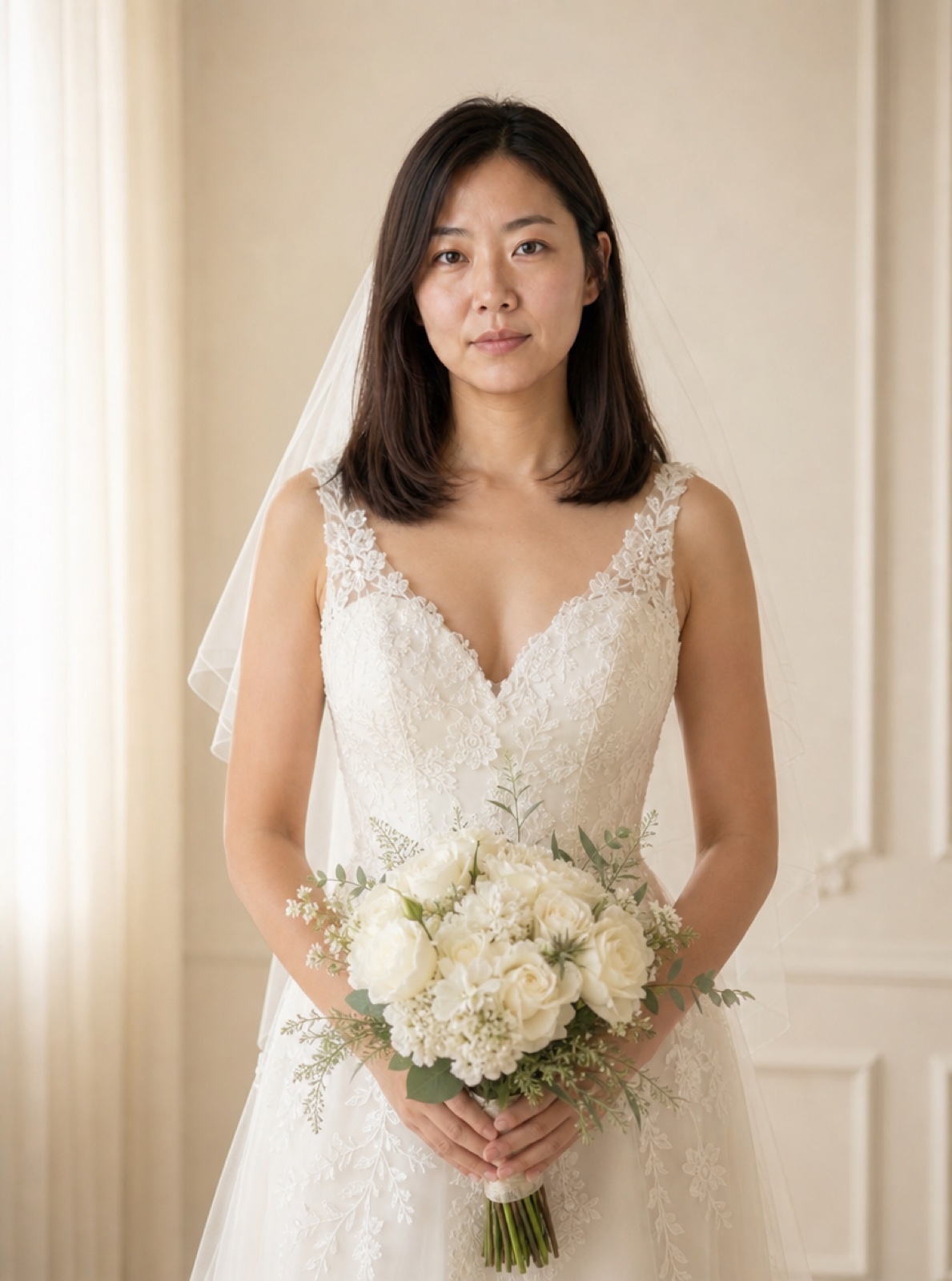
AI Wedding Photo Generator from One Photo
Preview a wedding portrait with an indoor studio or garden setting. Start with one solo portrait or a photo that already contains both partners. AI Hug reimagines wedding attire and scenery while aiming to preserve the people in the original photo.
Start Creating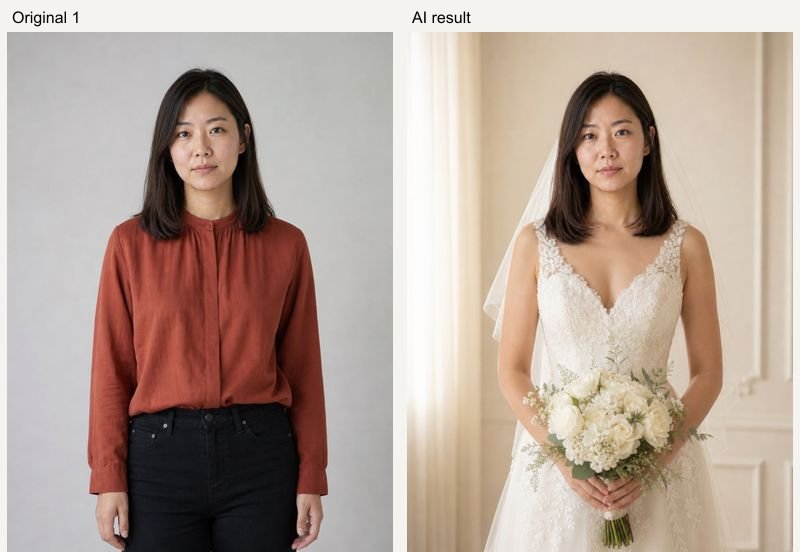
Real AI Hug Examples
Original inputs and generated results. All sample people are fictional and AI-generated; examples show possibilities, with no guarantee of an identical result.
Indoor wedding portrait
AI Hug example using fictional, AI-generated people. GPT Image 2, 1K, 5 credits; model processing time 42 seconds in this test. Inspect the original references and generated result side by side. Your result and processing time may differ.
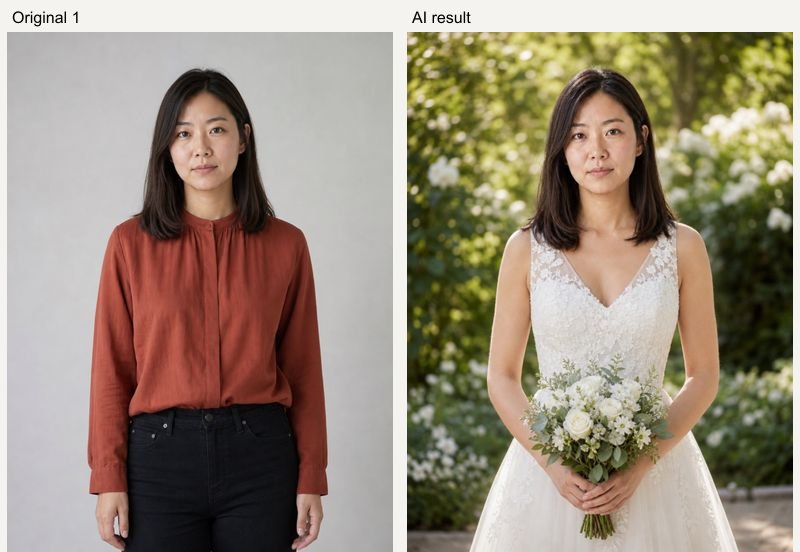
Garden wedding portrait
AI Hug example using fictional, AI-generated people. GPT Image 2, 1K, 5 credits; model processing time 47 seconds in this test. Inspect the original references and generated result side by side. Your result and processing time may differ.
How to Use AI Wedding Photo Generator from One Photo
Upload clear references, choose a preset, then review the result.
- 01
Upload a solo or couple photo
Use one clear photo. For two people, both must already be together in that image; this version has one upload slot.
- 02
Choose a wedding setting
Pick Indoor studio or Garden wedding, then edit the description for clothing and scenery. The original photo stays attached.
- 03
Generate and review
Check the credit quote and generate. Review the number of people, likeness, hands, dress details and lighting before downloading.
Related Photo Tools
- 01
Ai Clothes Changer
Explore ai clothes changer for a related photo edit.
- 02
Ai Couple Photo Maker
Explore ai couple photo maker for a related photo edit.
AI Wedding Photo Generator from One Photo FAQ
Can I upload two separate partner photos?
This wedding tool currently takes one image: either a solo portrait or an existing couple photo. It does not provide two independent partner uploads.
Will it add a partner to my solo portrait?
The template asks the model to keep the same people as the input. A solo portrait should remain a solo portrait; inspect each generated result.
Are these actual wedding photos?
They are AI-generated wedding-style portraits. Clothing, scenery, hands and likeness can vary, so they are best used as creative concepts rather than a record of a real event.
How much does a generation cost?
The current GPT Image 2 quote is 5 credits at 1K, 10 at 2K and 14 at 4K. Availability and higher-resolution access depend on your account. The Generate button shows the price before submission; each new variation is a new paid generation.
What happens if generation fails?
A task that is accepted and then fails is refunded automatically by the service. If the screen times out, the task may still finish: check Assets before submitting a duplicate. Upload or submission errors are shown before a result card is created.
Can I keep my inputs when signing in?
Your selected photos, description and settings are temporarily saved in this browser before Google sign-in and restored when you return to the same page within 30 minutes. Use the same browser and keep the original tab available.