AI Clothes Changer
Upload a photo to apply this effect while keeping the subject recognizable for a natural, polished result.
01Upload your photo
02Prompt
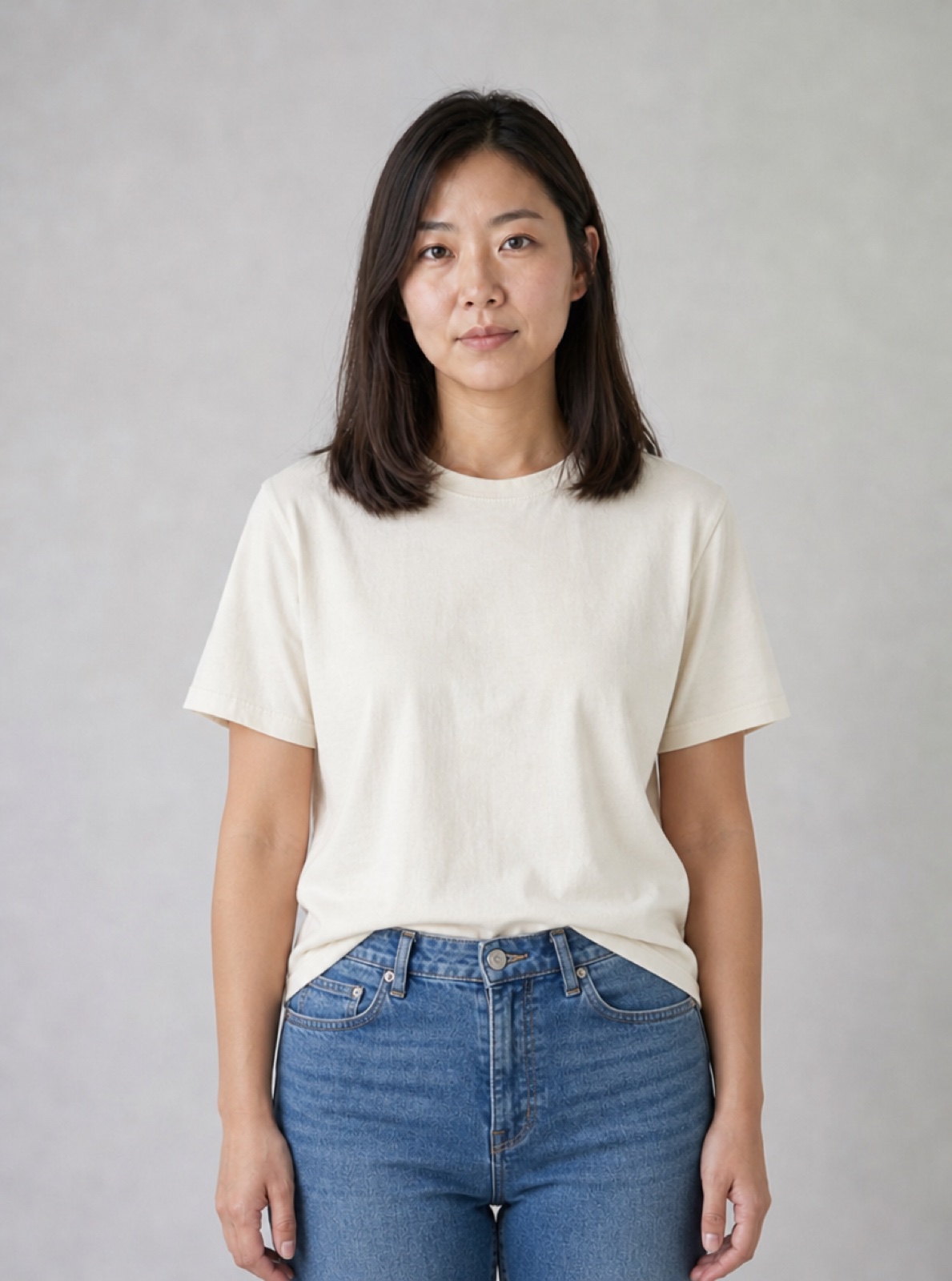
AI Clothes Changer for Outfit Ideas
Upload one clear portrait, choose a casual outfit, formal suit or evening dress, and edit the description to suit your idea. The AI clothes changer uses your original photo for each variation and aims to preserve the face, pose and setting.
Start Creating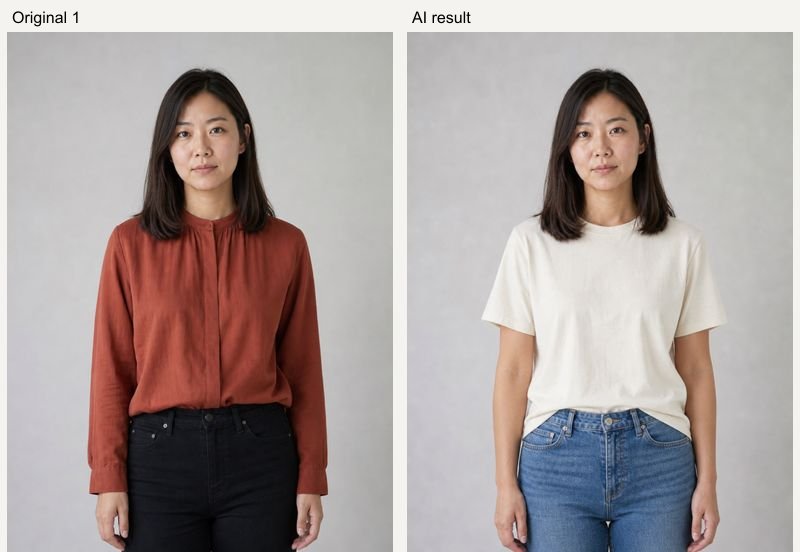
Real AI Hug Examples
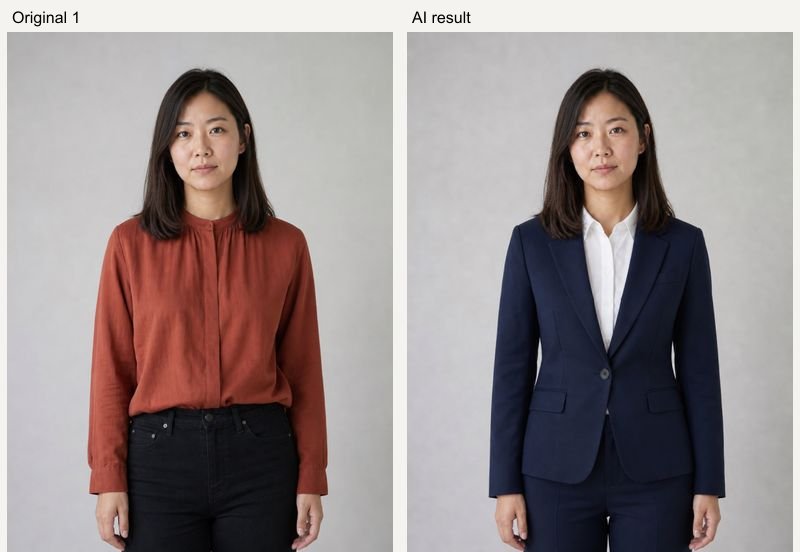
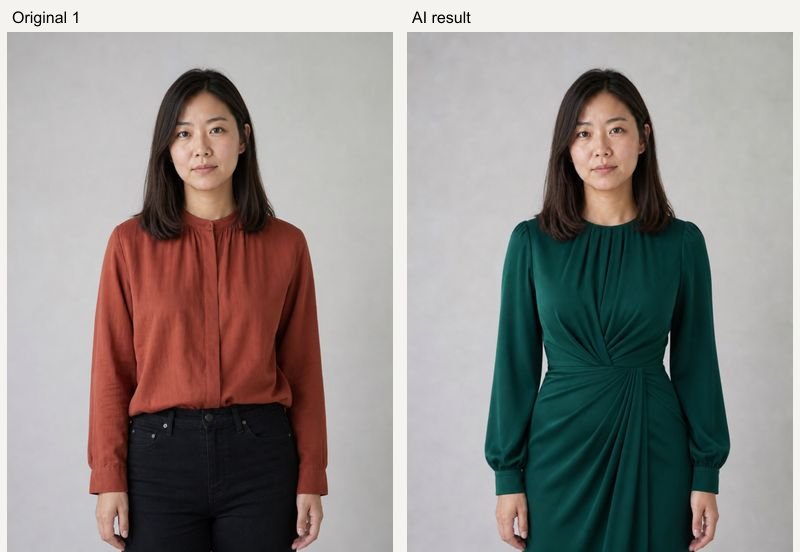
Original inputs and generated results. All sample people are fictional and AI-generated; examples show possibilities, with no guarantee of an identical result.
Casual outfit
AI Hug example using fictional, AI-generated people. GPT Image 2, 1K, 5 credits; model processing time 32 seconds in this test. Inspect the original references and generated result side by side. Your result and processing time may differ.
Formal suit
AI Hug example using fictional, AI-generated people. GPT Image 2, 1K, 5 credits; model processing time 34 seconds in this test. Inspect the original references and generated result side by side. Your result and processing time may differ.
Evening dress
AI Hug example using fictional, AI-generated people. GPT Image 2, 1K, 5 credits; model processing time 34 seconds in this test. Inspect the original references and generated result side by side. Your result and processing time may differ.
How to Use AI Clothes Changer for Outfit Ideas
Upload clear references, choose a preset, then review the result.
- 01
Upload one photo
Choose a well-lit photo with clear clothing edges and an unobstructed face. JPG, PNG and WebP files up to 10 MB are supported.
- 02
Choose an outfit
Pick Casual, Formal suit or Evening dress. Edit the prompt to specify fabric, color and fit. Each choice keeps your original image.
- 03
Generate and compare
Check the credit quote, sign in if needed, and generate. Review likeness, hands, fabric edges and framing before downloading.
Related Photo Tools
- 01
Ai Hairstyle Changer
Explore ai hairstyle changer for a related photo edit.
- 02
Hair Color Change
Explore hair color change for a related photo edit.
- 03
Ai Wedding Photo Generator
Explore ai wedding photo generator for a related photo edit.
AI Clothes Changer for Outfit Ideas FAQ
Can I upload a clothing reference image?
This version edits one person photo using a text description. It does not copy an exact garment from a second clothing photo or predict garment measurements.
Will my face, pose and background stay identical?
The edit is instructed to preserve them, but generative changes can appear. Check the result carefully, particularly hands, clothing edges and the camera crop.
Is this an AI clothes changer free of charge?
Generation uses credits. The Generate button shows the current price before you submit; this page does not promise free or unlimited outfit changes.
How much does a generation cost?
The current GPT Image 2 quote is 5 credits at 1K, 10 at 2K and 14 at 4K. Availability and higher-resolution access depend on your account. The Generate button shows the price before submission; each new variation is a new paid generation.
What happens if generation fails?
A task that is accepted and then fails is refunded automatically by the service. If the screen times out, the task may still finish: check Assets before submitting a duplicate. Upload or submission errors are shown before a result card is created.
Can I keep my inputs when signing in?
Your selected photos, description and settings are temporarily saved in this browser before Google sign-in and restored when you return to the same page within 30 minutes. Use the same browser and keep the original tab available.