AI Hair Color Changer
Upload a photo to apply this effect while keeping the subject recognizable for a natural, polished result.
01Upload your photo
02Prompt
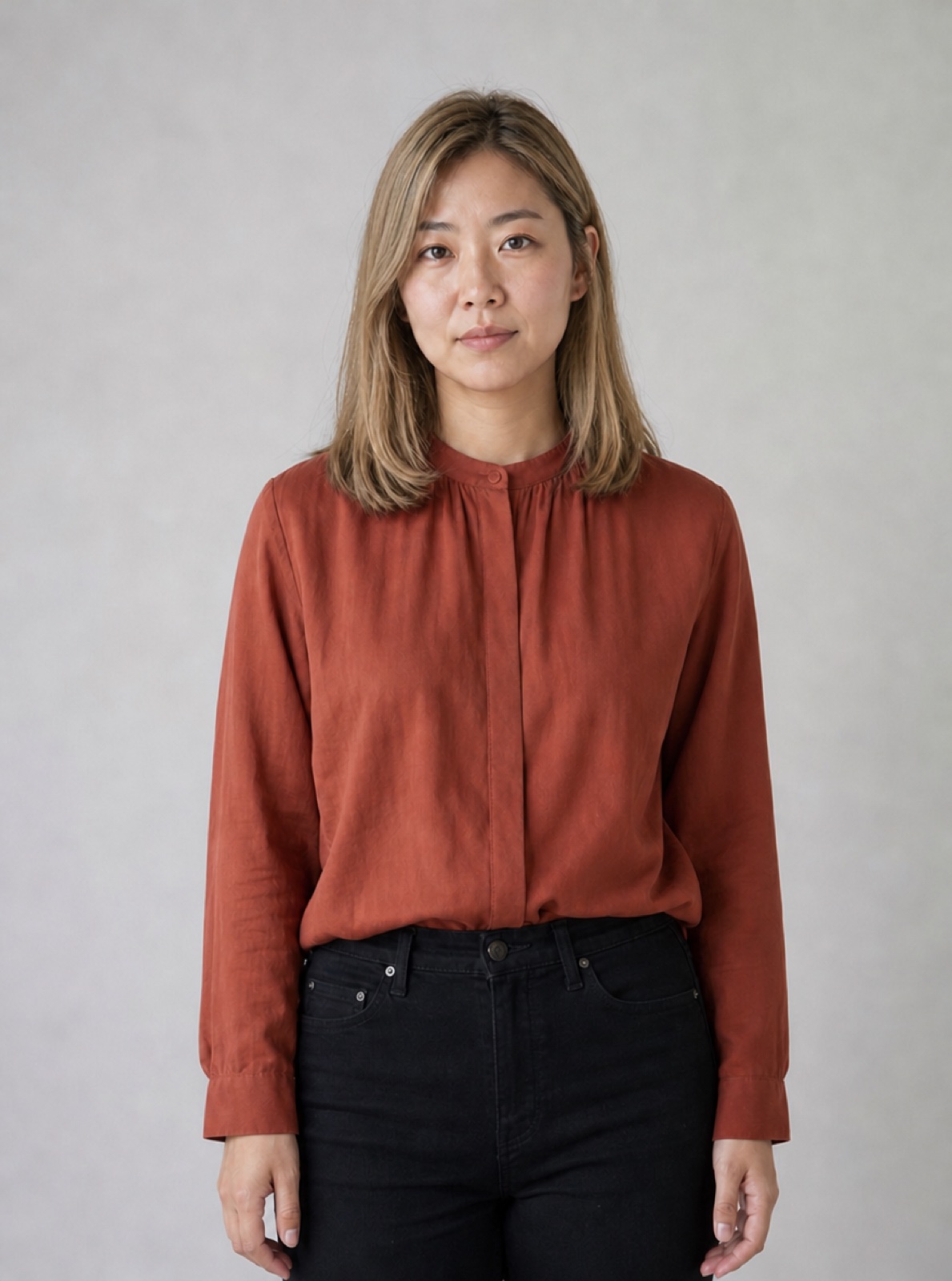
AI Hair Color Changer: Try a New Shade
Use hair color try on to explore a new shade before discussing it with a stylist. Choose soft black, chestnut brown, golden blonde or copper red, or describe a custom color. Each generation starts from your original portrait, with instructions to preserve the haircut, length, identity, clothes and background.
Start Creating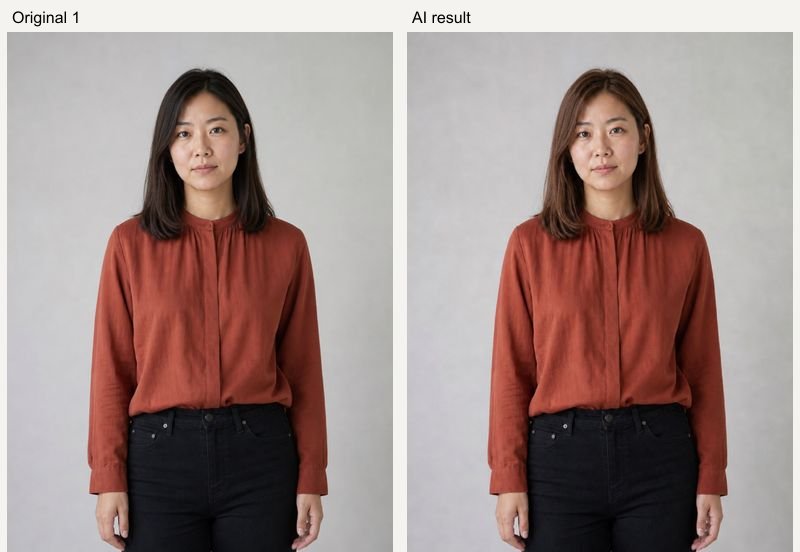
Real AI Hug Examples
Original inputs and generated results. All sample people are fictional and AI-generated; examples show possibilities, with no guarantee of an identical result.
Chestnut brown
AI Hug example using fictional, AI-generated people. GPT Image 2, 1K, 5 credits; model processing time 32 seconds in this test. Inspect the original references and generated result side by side. Your result and processing time may differ.
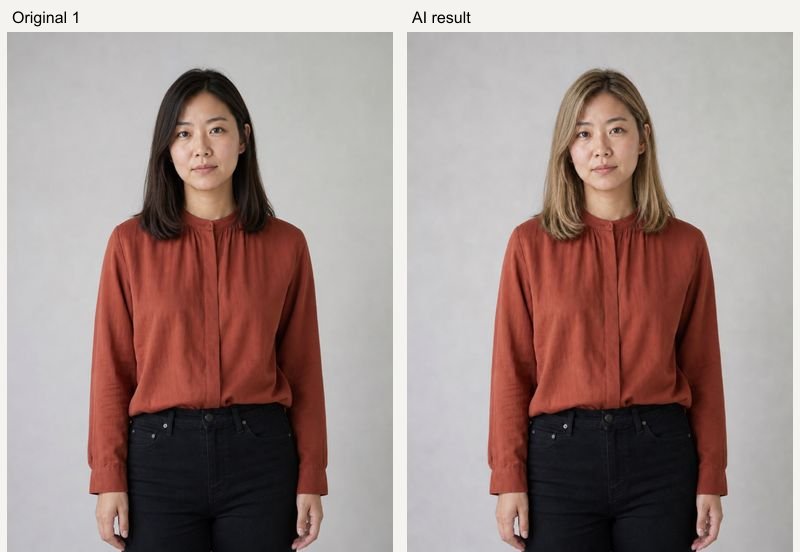
Golden blonde
AI Hug example using fictional, AI-generated people. GPT Image 2, 1K, 5 credits; model processing time 32 seconds in this test. Inspect the original references and generated result side by side. Your result and processing time may differ.
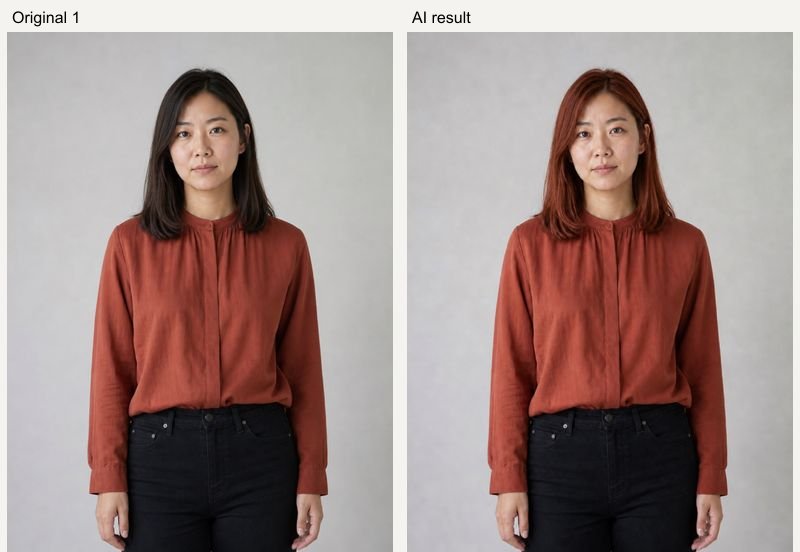
Copper red
AI Hug example using fictional, AI-generated people. GPT Image 2, 1K, 5 credits; model processing time 36 seconds in this test. Inspect the original references and generated result side by side. Your result and processing time may differ.
How to Use AI Hair Color Changer
Upload clear references, choose a preset, then review the result.
- 01
Upload a clear portrait
Use one well-lit photo with visible roots, hairline and hair ends. Avoid hats, heavy shadows, strong filters and hair covering the face.
- 02
Choose or describe a color
Select a color preset or edit the description for a shade such as lavender with dark roots. Keep the direction focused on color if you want to preserve the haircut.
- 03
Compare from the original
Generate, inspect roots, edges and facial likeness, then try another color. The new color uses the original upload rather than the previous result.
Related Photo Tools
- 01
Ai Hairstyle Changer
Explore ai hairstyle changer for a related photo edit.
- 02
Ai Buzzcut Filter
Explore ai buzzcut filter for a related photo edit.
- 03
Red Hair Filter
Explore red hair filter for a related photo edit.
- 04
Ai Blonde Hair Filter
Explore ai blonde hair filter for a related photo edit.
AI Hair Color Changer FAQ
Can I try a custom color?
Yes. Presets fill the editable description. You can specify a color, highlights, darker roots or a gradient before generating.
Does the tool also change my hairstyle?
This tool focuses on color and is instructed to preserve the original cut, length and texture. Use the AI Hairstyle Changer for a different haircut.
Will a salon dye look exactly like the preview?
No. This is a generated visual idea. Real results depend on your starting color, lighting, hair condition, dye and technique. Discuss the preview with a professional stylist.
How much does a generation cost?
The current GPT Image 2 quote is 5 credits at 1K, 10 at 2K and 14 at 4K. Availability and higher-resolution access depend on your account. The Generate button shows the price before submission; each new variation is a new paid generation.
What happens if generation fails?
A task that is accepted and then fails is refunded automatically by the service. If the screen times out, the task may still finish: check Assets before submitting a duplicate. Upload or submission errors are shown before a result card is created.
Can I keep my inputs when signing in?
Your selected photos, description and settings are temporarily saved in this browser before Google sign-in and restored when you return to the same page within 30 minutes. Use the same browser and keep the original tab available.